> ## Documentation Index
> Fetch the complete documentation index at: https://braintrust.dev/docs/llms.txt
> Use this file to discover all available pages before exploring further.
# Improving Github issue titles using their contents
[Contributed](https://github.com/braintrustdata/braintrust-cookbook/blob/main/examples/Github-Issues/Github-Issues.ipynb) by [Ankur Goyal](https://twitter.com/ankrgyl) on 2023-10-29
This tutorial will teach you how to use Braintrust to generate better titles for Github issues, based on their
content. This is a great way to learn how to work with text and evaluate subjective criteria, like summarization quality.
We'll use a technique called **model graded evaluation** to automatically evaluate the newly generated titles
against the original titles, and improve our prompt based on what we find.
Before starting, please make sure that you have a Braintrust account. If you do not, please [sign up](https://www.braintrust.dev). After this tutorial, feel free to dig deeper by visiting [the docs](http://www.braintrust.dev/docs).
## Installing dependencies
To see a list of dependencies, you can view the accompanying [package.json](https://github.com/braintrustdata/braintrust-cookbook/tree/main/examples/Github-Issues/package.json) file. Feel free to copy/paste snippets of this code to run in your environment, or use [tslab](https://github.com/yunabe/tslab) to run the tutorial in a Jupyter notebook.
## Downloading the data
We'll start by downloading some issues from Github using the `octokit` SDK. We'll use the popular open source project [next.js](https://github.com/vercel/next.js).
```typescript theme={"theme":{"light":"github-light","dark":"github-dark-dimmed"}}
import { Octokit } from "@octokit/core";
const ISSUES = [
"https://github.com/vercel/next.js/issues/59999",
"https://github.com/vercel/next.js/issues/59997",
"https://github.com/vercel/next.js/issues/59995",
"https://github.com/vercel/next.js/issues/59988",
"https://github.com/vercel/next.js/issues/59986",
"https://github.com/vercel/next.js/issues/59971",
"https://github.com/vercel/next.js/issues/59958",
"https://github.com/vercel/next.js/issues/59957",
"https://github.com/vercel/next.js/issues/59950",
"https://github.com/vercel/next.js/issues/59940",
];
// Octokit.js
// https://github.com/octokit/core.js#readme
const octokit = new Octokit({
auth: process.env.GITHUB_ACCESS_TOKEN || "Your Github Access Token",
});
async function fetchIssue(url: string) {
// parse url of the form https://github.com/supabase/supabase/issues/15534
const [owner, repo, _, issue_number] = url!.trim().split("/").slice(-4);
const data = await octokit.request(
"GET /repos/{owner}/{repo}/issues/{issue_number}",
{
owner,
repo,
issue_number: parseInt(issue_number),
headers: {
"X-GitHub-Api-Version": "2022-11-28",
},
}
);
return data.data;
}
const ISSUE_DATA = await Promise.all(ISSUES.map(fetchIssue));
```
Let's take a look at one of the issues:
```typescript theme={"theme":{"light":"github-light","dark":"github-dark-dimmed"}}
console.log(ISSUE_DATA[0].title);
console.log("-".repeat(ISSUE_DATA[0].title.length));
console.log(ISSUE_DATA[0].body.substring(0, 512) + "...");
```
```
The instrumentation hook is only called after visiting a route
--------------------------------------------------------------
### Link to the code that reproduces this issue
https://github.com/daveyjones/nextjs-instrumentation-bug
### To Reproduce
\`\`\`shell
git clone git@github.com:daveyjones/nextjs-instrumentation-bug.git
cd nextjs-instrumentation-bug
npm install
npm run dev # The register function IS called
npm run build && npm start # The register function IS NOT called until you visit http://localhost:3000
\`\`\`
### Current vs. Expected behavior
The \`register\` function should be called automatically after running \`npm ...
```
## Generating better titles
Let's try to generate better titles using a simple prompt. We'll use OpenAI, although you could try this out with any model that supports text generation.
We'll start by initializing an OpenAI client and wrapping it with some Braintrust instrumentation. `wrapOpenAI`
is initially a no-op, but later on when we use Braintrust, it will help us capture helpful debugging information about the model's performance.
```typescript theme={"theme":{"light":"github-light","dark":"github-dark-dimmed"}}
import { wrapOpenAI } from "braintrust";
import { OpenAI } from "openai";
const client = wrapOpenAI(
new OpenAI({
apiKey: process.env.OPENAI_API_KEY || "Your OpenAI API Key",
})
);
```
```typescript theme={"theme":{"light":"github-light","dark":"github-dark-dimmed"}}
import { ChatCompletionMessageParam } from "openai/resources";
function titleGeneratorMessages(content: string): ChatCompletionMessageParam[] {
return [
{
role: "system",
content:
"Generate a new title based on the github issue. Return just the title.",
},
{
role: "user",
content: "Github issue: " + content,
},
];
}
async function generateTitle(input: string) {
const messages = titleGeneratorMessages(input);
const response = await client.chat.completions.create({
model: "gpt-3.5-turbo",
messages,
seed: 123,
});
return response.choices[0].message.content || "";
}
const generatedTitle = await generateTitle(ISSUE_DATA[0].body);
console.log("Original title: ", ISSUE_DATA[0].title);
console.log("Generated title:", generatedTitle);
```
```
Original title: The instrumentation hook is only called after visiting a route
Generated title: Next.js: \`register\` function not automatically called after build and start
```
## Scoring
Ok cool! The new title looks pretty good. But how do we consistently and automatically evaluate whether the new titles are better than the old ones?
With subjective problems, like summarization, one great technique is to use an LLM to grade the outputs. This is known as model graded evaluation. Below, we'll use a [summarization prompt](https://github.com/braintrustdata/autoevals/blob/main/templates/summary.yaml)
from Braintrust's open source [autoevals](https://github.com/braintrustdata/autoevals) library. We encourage you to use these prompts, but also to copy/paste them, modify them, and create your own!
The prompt uses [Chain of Thought](https://arxiv.org/abs/2201.11903) which dramatically improves a model's performance on grading tasks. Later, we'll see how it helps us debug the model's outputs.
Let's try running it on our new title and see how it performs.
```typescript theme={"theme":{"light":"github-light","dark":"github-dark-dimmed"}}
import { Summary } from "autoevals";
await Summary({
output: generatedTitle,
expected: ISSUE_DATA[0].title,
input: ISSUE_DATA[0].body,
// In practice we've found gpt-4 class models work best for subjective tasks, because
// they are great at following criteria laid out in the grading prompts.
model: "gpt-4-1106-preview",
});
```
```
{
name: 'Summary',
score: 1,
metadata: {
rationale: "Summary A ('The instrumentation hook is only called after visiting a route') is a partial and somewhat ambiguous statement. It does not specify the context of the 'instrumentation hook' or the technology involved.\n" +
"Summary B ('Next.js: \`register\` function not automatically called after build and start') provides a clearer and more complete description. It specifies the technology ('Next.js') and the exact issue ('\`register\` function not automatically called after build and start').\n" +
'The original text discusses an issue with the \`register\` function in a Next.js application not being called as expected, which is directly reflected in Summary B.\n' +
"Summary B also aligns with the section 'Current vs. Expected behavior' from the original text, which states that the \`register\` function should be called automatically but is not until a route is visited.\n" +
"Summary A lacks the detail that the issue is with the Next.js framework and does not mention the expectation of the \`register\` function's behavior, which is a key point in the original text.",
choice: 'B'
},
error: undefined
}
```
## Initial evaluation
Now that we have a way to score new titles, let's run an eval and see how our prompt performs across all 10 issues.
```typescript theme={"theme":{"light":"github-light","dark":"github-dark-dimmed"}}
import { Eval, login } from "braintrust";
login({ apiKey: process.env.BRAINTUST_API_KEY || "Your Braintrust API Key" });
await Eval("Github Issues Cookbook", {
data: () =>
ISSUE_DATA.map((issue) => ({
input: issue.body,
expected: issue.title,
metadata: issue,
})),
task: generateTitle,
scores: [
async ({ input, output, expected }) =>
Summary({
input,
output,
expected,
model: "gpt-4-1106-preview",
}),
],
});
console.log("Done!");
```
```
{
projectName: 'Github Issues Cookbook',
experimentName: 'main-1706774628',
projectUrl: 'https://www.braintrust.dev/app/braintrust.dev/p/Github%20Issues%20Cookbook',
experimentUrl: 'https://www.braintrust.dev/app/braintrust.dev/p/Github%20Issues%20Cookbook/main-1706774628',
comparisonExperimentName: undefined,
scores: undefined,
metrics: undefined
}
```
```
████░░░░░░░░░░░░░░░░░░░░░░░░░░░░░░░░░░░░ | Github Issues Cookbook | 10% | 10/100 datapoints
```
```
Done!
```
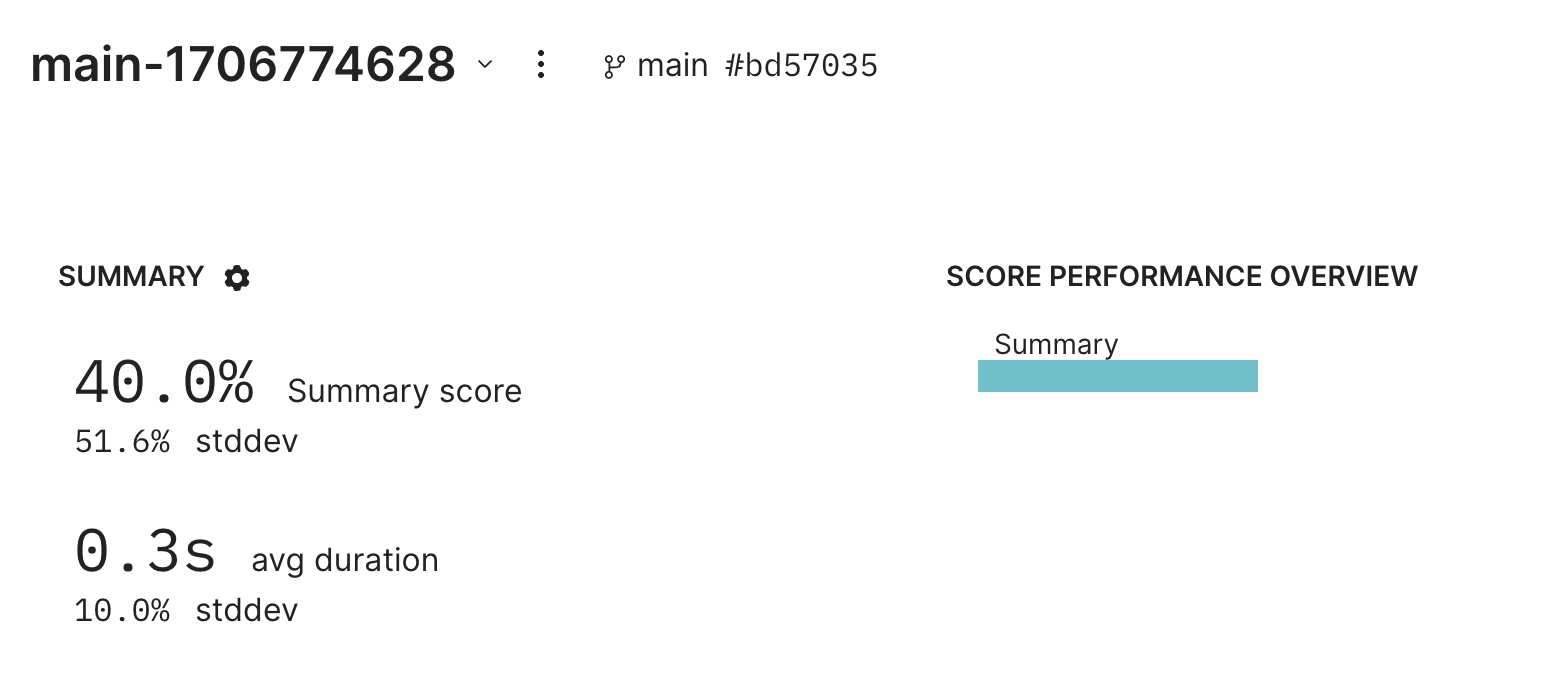
Great! We got an initial result. If you follow the link, you'll see an eval result showing an initial score of 40%.
 ## Debugging failures
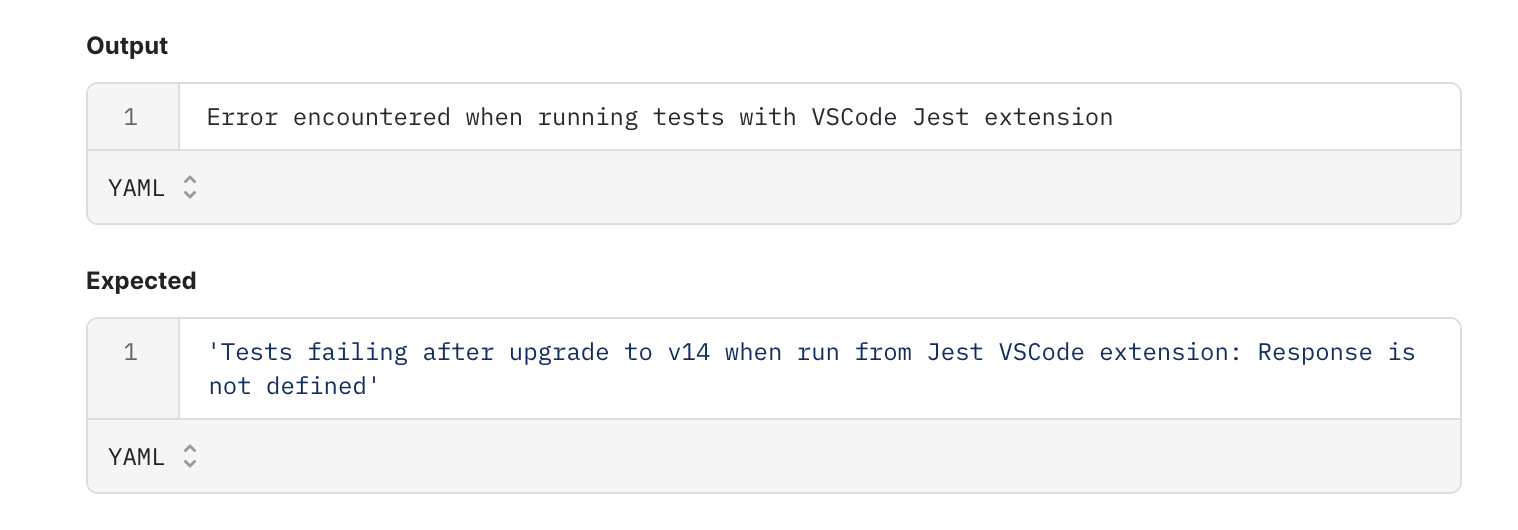
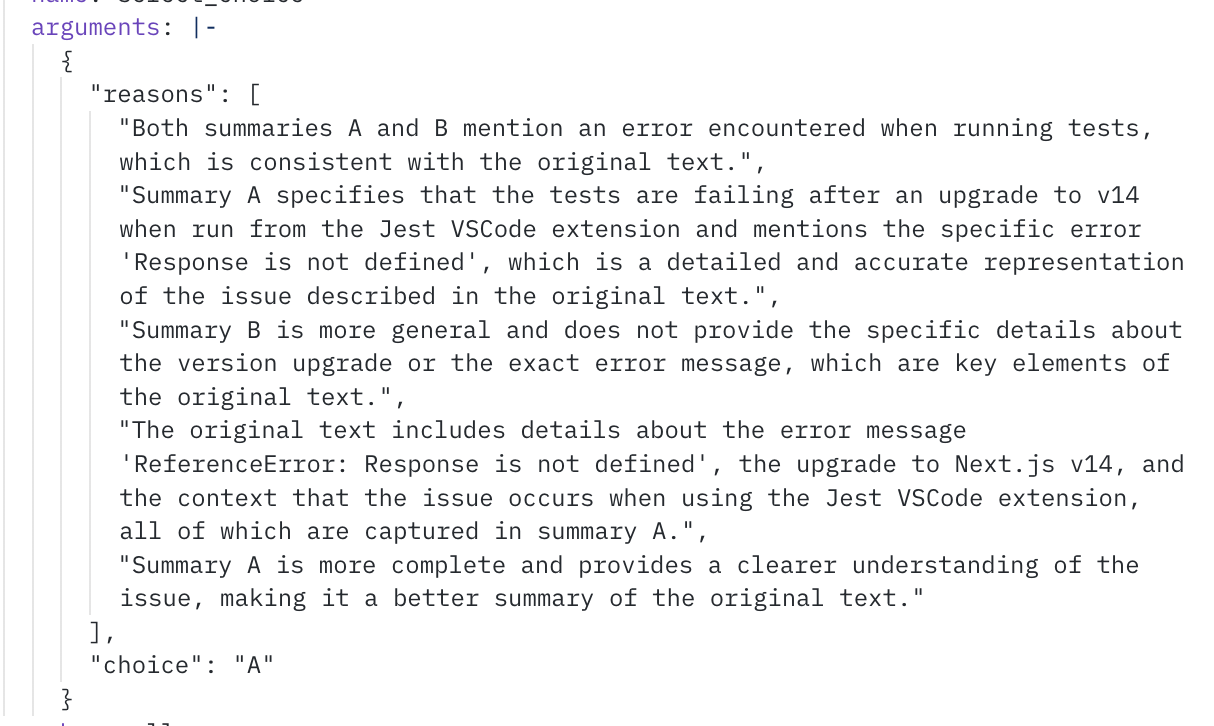
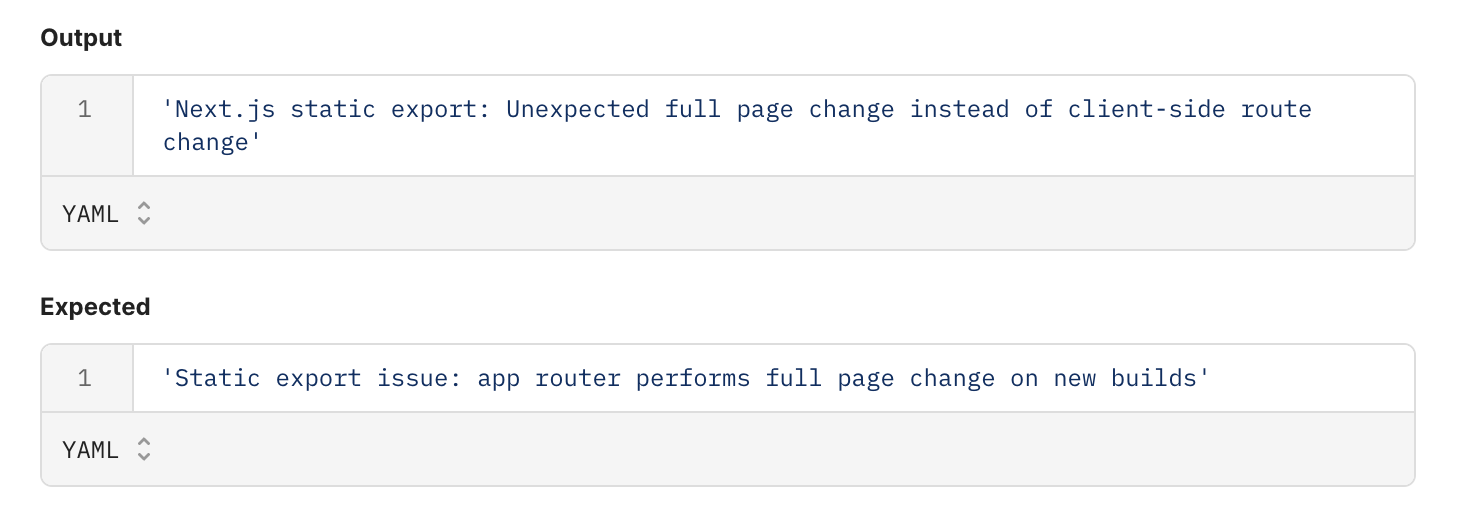
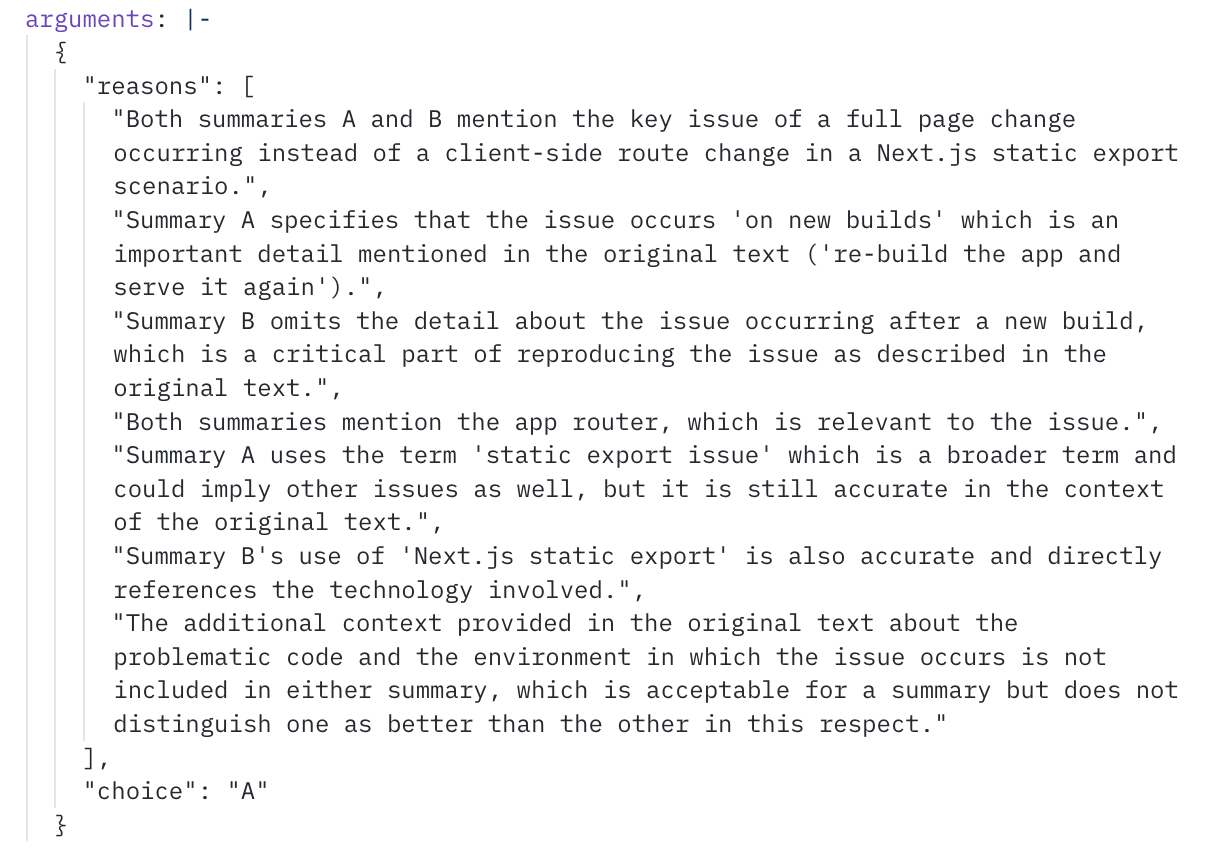
Let's dig into a couple examples to see what's going on. Thanks to the instrumentation we added earlier, we can see the model's reasoning for its scores.
Issue [https://github.com/vercel/next.js/issues/59995](https://github.com/vercel/next.js/issues/59995):
## Debugging failures
Let's dig into a couple examples to see what's going on. Thanks to the instrumentation we added earlier, we can see the model's reasoning for its scores.
Issue [https://github.com/vercel/next.js/issues/59995](https://github.com/vercel/next.js/issues/59995):
 Issue [https://github.com/vercel/next.js/issues/59986](https://github.com/vercel/next.js/issues/59986):
 ## Improving the prompt
Hmm, it looks like the model is missing certain key details. Let's see if we can improve our prompt to encourage the model to include more details, without being too verbose.
```typescript theme={"theme":{"light":"github-light","dark":"github-dark-dimmed"}}
function titleGeneratorMessages(content: string): ChatCompletionMessageParam[] {
return [
{
role: "system",
content: `Generate a new title based on the github issue. The title should include all of the key
identifying details of the issue, without being longer than one line. Return just the title.`,
},
{
role: "user",
content: "Github issue: " + content,
},
];
}
async function generateTitle(input: string) {
const messages = titleGeneratorMessages(input);
const response = await client.chat.completions.create({
model: "gpt-3.5-turbo",
messages,
seed: 123,
});
return response.choices[0].message.content || "";
}
```
### Re-evaluating
Now that we've tweaked our prompt, let's see how it performs by re-running our eval.
```typescript theme={"theme":{"light":"github-light","dark":"github-dark-dimmed"}}
await Eval("Github Issues Cookbook", {
data: () =>
ISSUE_DATA.map((issue) => ({
input: issue.body,
expected: issue.title,
metadata: issue,
})),
task: generateTitle,
scores: [
async ({ input, output, expected }) =>
Summary({
input,
output,
expected,
model: "gpt-4-1106-preview",
}),
],
});
console.log("All done!");
```
```
{
projectName: 'Github Issues Cookbook',
experimentName: 'main-1706774676',
projectUrl: 'https://www.braintrust.dev/app/braintrust.dev/p/Github%20Issues%20Cookbook',
experimentUrl: 'https://www.braintrust.dev/app/braintrust.dev/p/Github%20Issues%20Cookbook/main-1706774676',
comparisonExperimentName: 'main-1706774628',
scores: {
Summary: {
name: 'Summary',
score: 0.7,
diff: 0.29999999999999993,
improvements: 3,
regressions: 0
}
},
metrics: {
duration: {
name: 'duration',
metric: 0.3292001008987427,
unit: 's',
diff: -0.002199888229370117,
improvements: 7,
regressions: 3
}
}
}
```
```
████░░░░░░░░░░░░░░░░░░░░░░░░░░░░░░░░░░░░ | Github Issues Cookbook | 10% | 10/100 datapoints
```
```
All done!
```
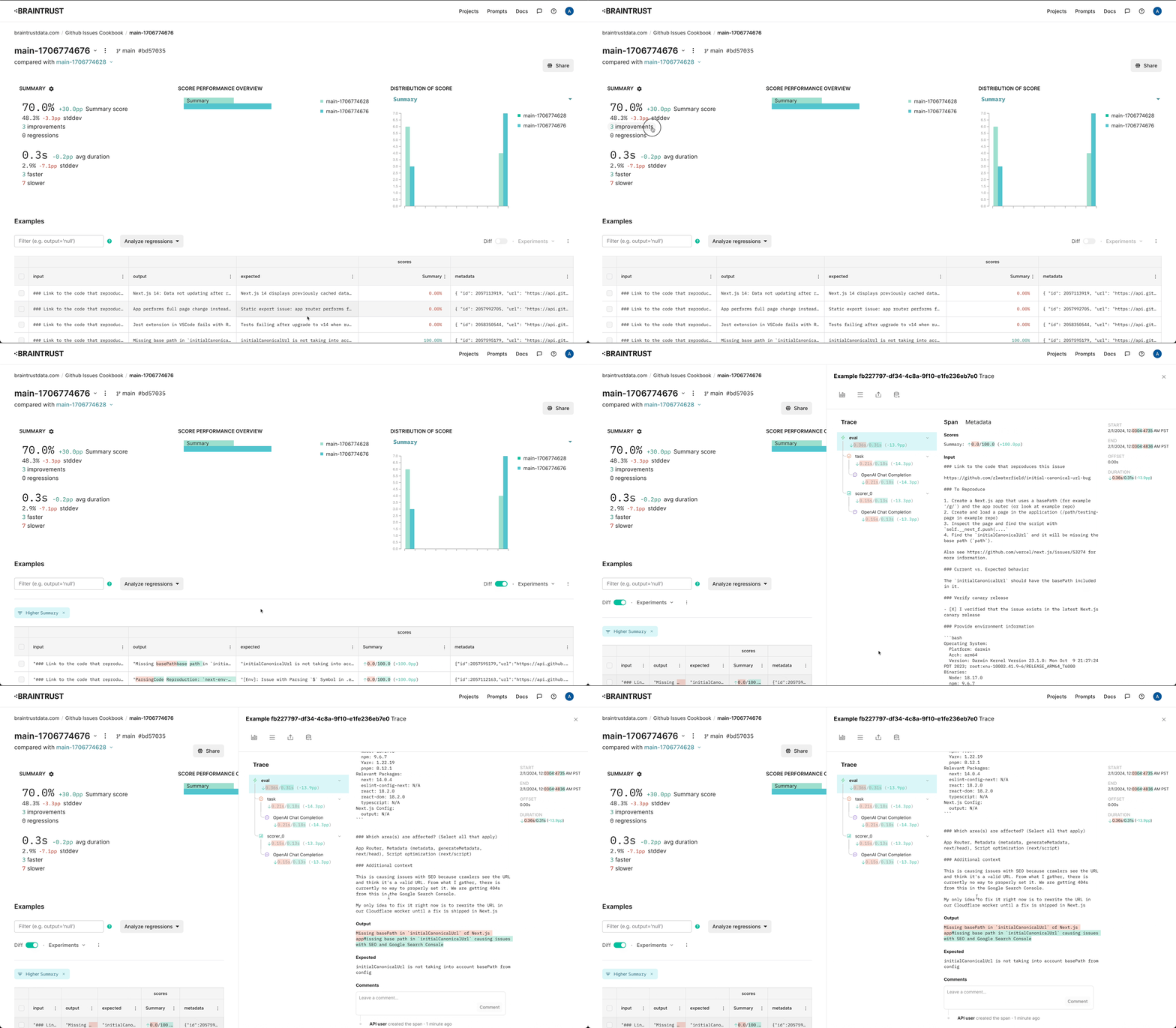
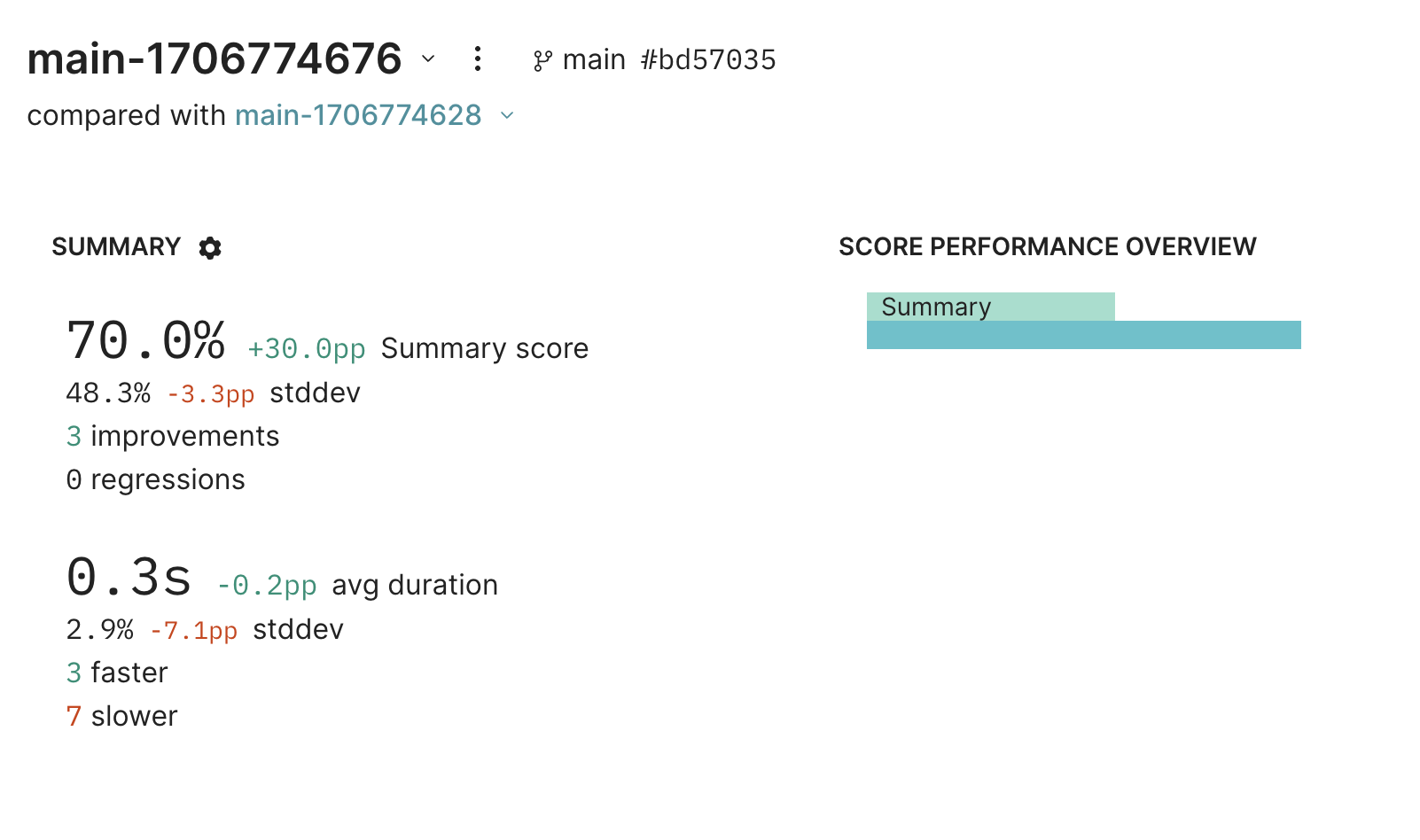
Wow, with just a simple change, we're able to boost summary performance by 30%!
## Improving the prompt
Hmm, it looks like the model is missing certain key details. Let's see if we can improve our prompt to encourage the model to include more details, without being too verbose.
```typescript theme={"theme":{"light":"github-light","dark":"github-dark-dimmed"}}
function titleGeneratorMessages(content: string): ChatCompletionMessageParam[] {
return [
{
role: "system",
content: `Generate a new title based on the github issue. The title should include all of the key
identifying details of the issue, without being longer than one line. Return just the title.`,
},
{
role: "user",
content: "Github issue: " + content,
},
];
}
async function generateTitle(input: string) {
const messages = titleGeneratorMessages(input);
const response = await client.chat.completions.create({
model: "gpt-3.5-turbo",
messages,
seed: 123,
});
return response.choices[0].message.content || "";
}
```
### Re-evaluating
Now that we've tweaked our prompt, let's see how it performs by re-running our eval.
```typescript theme={"theme":{"light":"github-light","dark":"github-dark-dimmed"}}
await Eval("Github Issues Cookbook", {
data: () =>
ISSUE_DATA.map((issue) => ({
input: issue.body,
expected: issue.title,
metadata: issue,
})),
task: generateTitle,
scores: [
async ({ input, output, expected }) =>
Summary({
input,
output,
expected,
model: "gpt-4-1106-preview",
}),
],
});
console.log("All done!");
```
```
{
projectName: 'Github Issues Cookbook',
experimentName: 'main-1706774676',
projectUrl: 'https://www.braintrust.dev/app/braintrust.dev/p/Github%20Issues%20Cookbook',
experimentUrl: 'https://www.braintrust.dev/app/braintrust.dev/p/Github%20Issues%20Cookbook/main-1706774676',
comparisonExperimentName: 'main-1706774628',
scores: {
Summary: {
name: 'Summary',
score: 0.7,
diff: 0.29999999999999993,
improvements: 3,
regressions: 0
}
},
metrics: {
duration: {
name: 'duration',
metric: 0.3292001008987427,
unit: 's',
diff: -0.002199888229370117,
improvements: 7,
regressions: 3
}
}
}
```
```
████░░░░░░░░░░░░░░░░░░░░░░░░░░░░░░░░░░░░ | Github Issues Cookbook | 10% | 10/100 datapoints
```
```
All done!
```
Wow, with just a simple change, we're able to boost summary performance by 30%!
 ## Parting thoughts
This is just the start of evaluating and improving this AI application. From here, you should dig into
individual examples, verify whether they legitimately improved, and test on more data. You can even use
[logging](/instrument/trace-application-logic) to capture real-user examples and incorporate
them into your evals.
Happy evaluating!
## Parting thoughts
This is just the start of evaluating and improving this AI application. From here, you should dig into
individual examples, verify whether they legitimately improved, and test on more data. You can even use
[logging](/instrument/trace-application-logic) to capture real-user examples and incorporate
them into your evals.
Happy evaluating!