

A unified LLM API provides your application with a single endpoint and SDK for accessing models from multiple providers. Instead of maintaining separate integrations for GPT, Claude, Gemini, open models, and provider-specific billing paths, teams can switch models by changing the model parameter.
The OpenAI-compatible interface has become the common standard, so the stronger buying decision now depends on what surrounds the API call. Teams should compare provider breadth, caching, cost visibility, observability, fallback behavior, and the ease of tracing, evaluating, and improving routed calls.
This guide compares seven unified LLM API providers across those criteria. Braintrust Gateway is the strongest choice for production AI teams because every routed call can flow into the same tracing, evaluation, and quality workflow used to debug failures and control releases. Start free with Braintrust Gateway.
What a unified LLM API does
A unified LLM API routes requests to OpenAI, Anthropic, Google, and open-model providers through a single integration, so developers can point existing code at a single endpoint and pick a model with a parameter. The unified API removes the need for separate SDKs, authentication flows, and billing layers.
Most unified API providers now expose an OpenAI-compatible endpoint, so teams can keep using the client already in their application when they add or test a new model. Once the interface is similar across providers, the stronger buying decision comes down to provider breadth, caching, cost visibility, request logging, evaluation support, fallback behavior, and the extent to which the integration limits future model choices.
What to look for in a unified LLM API provider
Use the criteria below to evaluate how each provider fits your needs.
OpenAI SDK compatibility: A drop-in endpoint lets your team keep the current OpenAI client and change only the base URL and model string. Providers that require a custom SDK add migration work whenever your application adopts a new model.
Provider and model breadth: A wider catalog lets your team test a new model without onboarding another vendor. Broad model coverage makes model switching a configuration change instead of a procurement task.
Caching: Response caching returns repeated calls without another provider request, which can reduce latency and token spend during development, prompt testing, and evaluation runs. Encryption and per-user scoping determine whether cached responses stay isolated.
Cost visibility and attribution: Per-request and per-model spend tracking shows where tokens go before the monthly bill arrives. Cost attribution helps teams connect spend to a feature, product area, or internal team.
Observability and evaluation: Request logs are more useful when they connect to traces, scores, and evaluation datasets. A provider that only reports usage can show how much the application spent, but it cannot explain why a response failed or whether a fix improved quality.
Lock-in and deployment control: Open-source, self-hostable options give teams greater control over data residency and infrastructure. Managed services reduce operational workload, but they can limit the team's control over deployment, storage, and vendor changes.
7 best unified LLM API providers in 2026
1. Braintrust Gateway
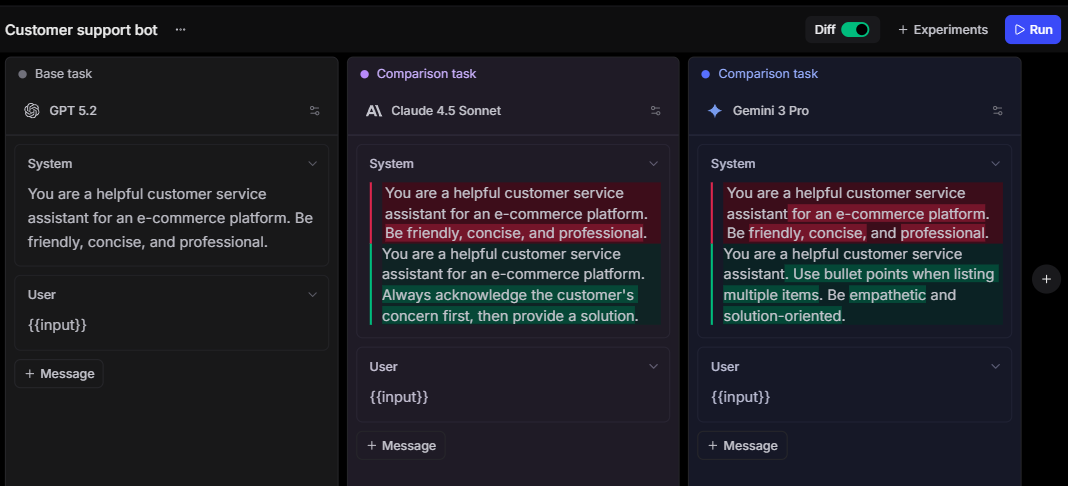
Best for: Production AI teams that need one API for model access, tracing, evaluation, caching, and release checks.
Braintrust Gateway is the best unified LLM API provider for teams that need routing and evaluation to operate on the same production data, centralizing model access while keeping observability, scoring, human review, experiments, and release control close to the API calls that shape the user experience. The Gateway provides teams with a single access layer to call models from OpenAI, Anthropic, Google, AWS, Mistral, and other supported providers. Teams can keep their existing SDK, point it at the Braintrust Gateway URL, and manage provider keys inside Braintrust.
The Gateway supports cross-provider calls from familiar SDKs, so a team can test Claude, Gemini, and GPT models, as well as other supported models, without rewriting the client layer for each provider. Custom provider support also lets teams route requests to self-hosted models, fine-tuned models, and proprietary endpoints through the same interface.
Braintrust is stronger than a pass-through API because routed calls can feed directly into traces, scores, datasets, experiments, and CI/CD checks. The team can inspect the trace, attach metadata or feedback, add the example to a dataset, evaluate a fix, and use the result as a regression check before release.
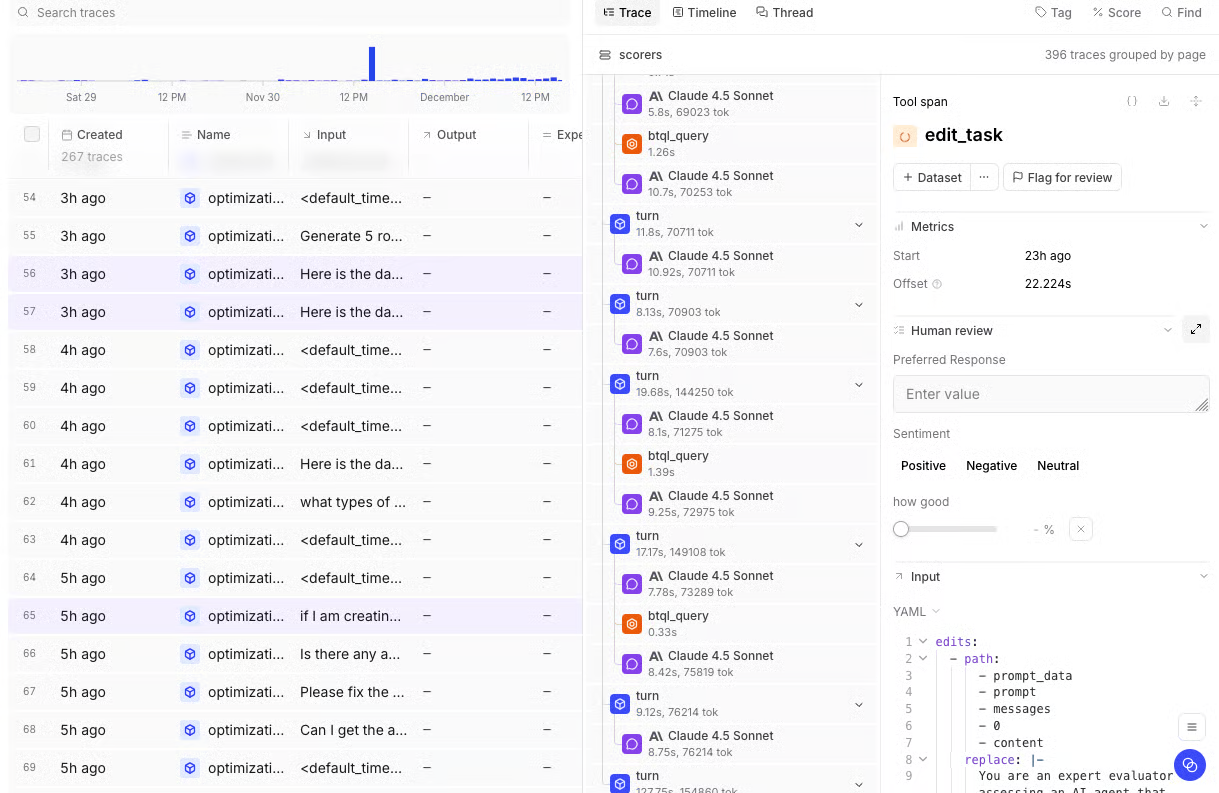
Caching is built into the Gateway and can be controlled per request with headers, TTLs, and cache-control rules. Response headers show cache status, provider endpoint, error origin, request ID, and logged span ID, which helps teams connect routing behavior to debugging, cost attribution, and evaluation results. Cached responses are encrypted with AES-GCM and scoped to the requesting user by default.
Pros:
- Unified API for OpenAI, Anthropic, Google, AWS, Mistral, and other supported providers
- Works with existing OpenAI, Anthropic, and Google SDKs
- Provider keys managed at the organization or project level
- Custom providers for self-hosted models, fine-tuned models, and proprietary endpoints
- Gateway requests can connect to Logs, Datasets, Scorers, Experiments, online scoring, Playgrounds, and CI/CD
- Response caching with request-level controls, TTLs, and cache status visibility
- AES-GCM cache encryption with cached results scoped to the user by default
- Usage, cost, latency, error, and quality monitoring from Gateway logs
Cons:
- Braintrust Gateway is currently in beta
- Self-hosting requires an Enterprise plan
Pricing: Free Starter plan with 1 GB processed data, 10K scores, and unlimited users. Pro at $249/month. Custom enterprise pricing. Braintrust Gateway is free during beta. See pricing details.
2. OpenRouter

Best for: Developers and small teams who want broad model access through a single account and a single OpenAI-compatible endpoint.
OpenRouter provides a managed API for reaching hundreds of models through a single endpoint. Developers can use prepaid credits, route requests across available providers, and avoid creating separate accounts for every model source. OpenRouter fits teams that prioritize catalog access, quick model testing, and simple usage-based billing. Teams that need traces, evaluation datasets, release checks, or quality scoring usually add a separate observability and evaluation layer.
Pros:
- Broad model catalog through one API
- OpenAI-compatible endpoint
- Pay-as-you-go credits with no monthly minimum
- Free models available with rate limits
- Routing and fallback support for available providers
Cons:
- Quality evaluation requires another tool
- Managed service with limited deployment control
- Catalog breadth can make model selection harder for production teams
Pricing: Pay-as-you-go with prepaid credits. Model pricing passes through provider rates. Free models available with rate limits.
3. Vercel AI Gateway

Best for: Teams already using Vercel or the AI SDK who want multi-provider model access, usage monitoring, and fallback controls.
Vercel AI Gateway provides a single API to access hundreds of models through Vercel. It supports the AI SDK and an OpenAI-compatible endpoint, with built-in budgets, usage monitoring, load balancing, and fallbacks. Vercel AI Gateway fits teams that already run application infrastructure on Vercel or use the AI SDK. Teams that need evaluation scores, datasets, human review, or release gates still need a separate evaluation workflow.
Pros:
- Hundreds of models through one endpoint
- Works with the AI SDK and OpenAI-compatible clients
- Budget controls and usage monitoring
- Load balancing and fallback support
- No token markup on the paid tier
Cons:
- Strongest fit for teams already using Vercel or the AI SDK
- Monitoring focuses on usage rather than evaluation outcomes
- Release-quality checks require another system
Pricing: New accounts receive $5 in monthly credits to start, after which usage is pay-as-you-go at provider list price with no markup, including bring-your-own-key.
4. LiteLLM
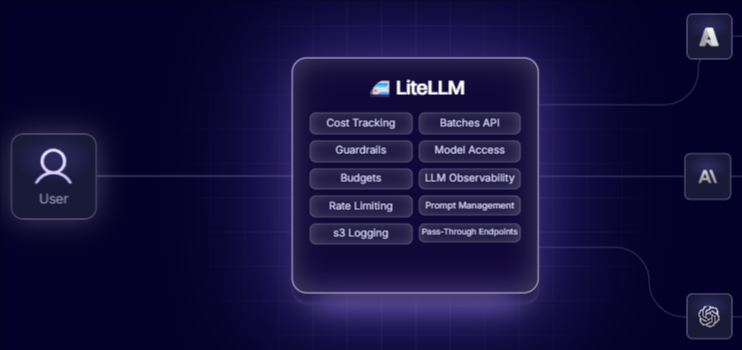
Best for: Engineering teams that need an open-source, self-hosted gateway and have the infrastructure team to operate it.
LiteLLM is an open-source AI gateway and proxy that enables calling 100+ LLM providers through a unified, OpenAI-compatible interface. Teams can use it as a Python SDK or deploy the proxy as a central gateway for routing, spend tracking, virtual keys, budgets, and provider configuration. LiteLLM fits teams that want infrastructure control and can manage proxy, database, caching, deployment, and scaling. LiteLLM also supports integration with Braintrust for logging and observability, and broader observability and evaluation depend on the integrations the team connects.
Pros:
- Open-source gateway and proxy
- Supports 100+ LLM providers
- OpenAI-compatible interface
- Virtual keys, spend tracking, and budget controls
- Self-hosted deployment available
Cons:
- Production operation requires infrastructure work
- PostgreSQL is the primary supported production database
- High-traffic deployments may require Redis and careful scaling
- Evaluation workflows depend on external integrations
Pricing: Free and open-source for self-hosted use. Custom enterprise pricing for hosted management and enterprise features.
5. Portkey
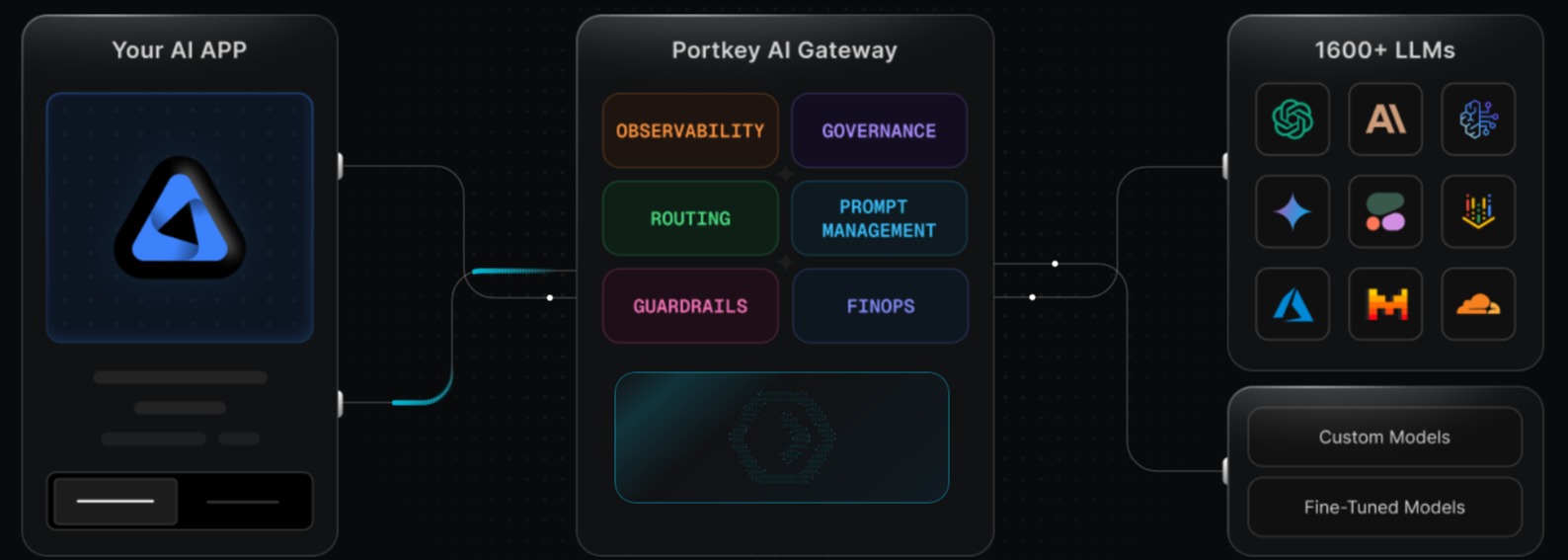
Best for: Teams that want a gateway with routing, observability, guardrails, prompt management, and governance controls in one product.
Portkey combines a universal API with gateway controls, including fallbacks, load balancing, retries, observability, guardrails, prompt management, caching, and key management. Portkey fits teams that want more governance around LLM usage, especially when security controls, retention, role-based access, SSO, or private deployment are part of the buying decision.
Pros:
- Universal API with routing, retries, fallbacks, and load balancing
- Observability with logs, traces, feedback, metadata, filters, and alerts
- Guardrails and prompt management included
- Simple and semantic caching on paid plans
- Open-source gateway and self-hosting options
Cons:
- Free tier is for prototyping and evaluation, not production workloads
- Lower tiers cap recorded logs
- SSO, data residency, private deployment, and custom BAAs require Enterprise
- More product surface than a basic API gateway needs
Pricing: Free tier with 10K logged requests. Paid plans from $49/month. Enterprise pricing is custom.
6. Together AI
Best for: Teams standardized on open models that want OpenAI-compatible inference, fine-tuning, and dedicated endpoints.
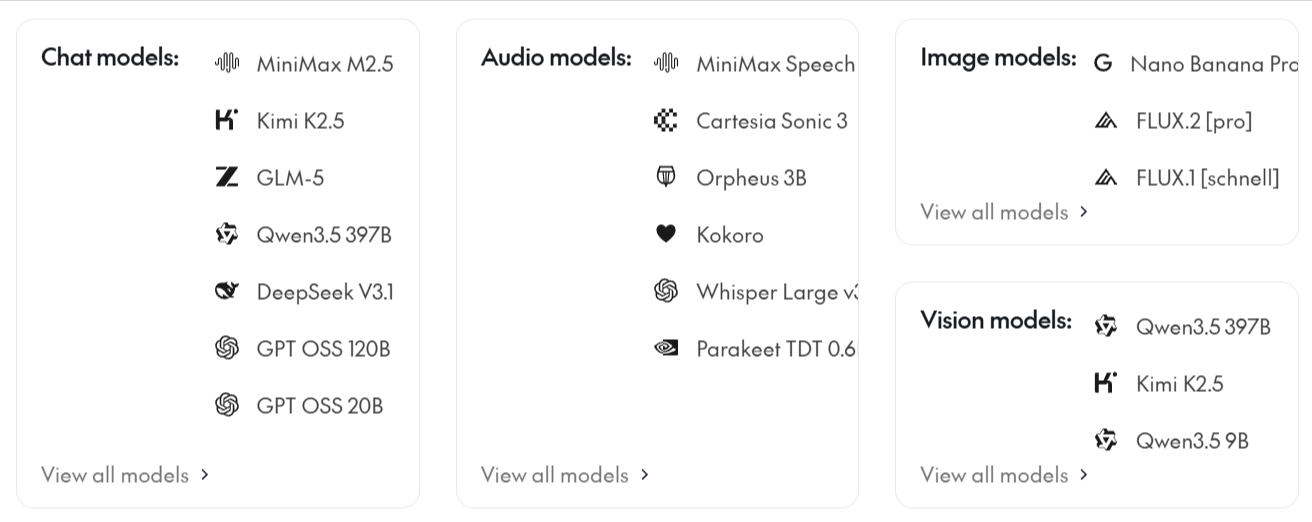
Together AI provides serverless inference, batch inference, fine-tuning, and dedicated endpoints for open and custom models. Its API is compatible with OpenAI REST APIs and SDKs, so teams can change the API key and base URL to call models hosted on Together. Together AI fits teams that want to run, tune, or deploy open models without managing their own GPU infrastructure. Teams that need one gateway for OpenAI, Anthropic, Google, and other closed frontier APIs usually pair Together AI with an aggregator.
Pros:
- OpenAI-compatible API and SDK support
- Serverless inference for supported models
- Fine-tuning and dedicated endpoints
- Batch inference available
- Custom model deployment options
Cons:
- Focused on models hosted through Together
- Closed frontier provider APIs require another gateway
- Dedicated endpoints can create idle-cost management work
Pricing: Fully prepaid and credit-based, with a minimum credit purchase of $5 required to access the platform. After that, teams pay per 1M tokens by model.
7. Groq
Best for: Latency-sensitive applications that use supported open or openly available models through an OpenAI-compatible API.
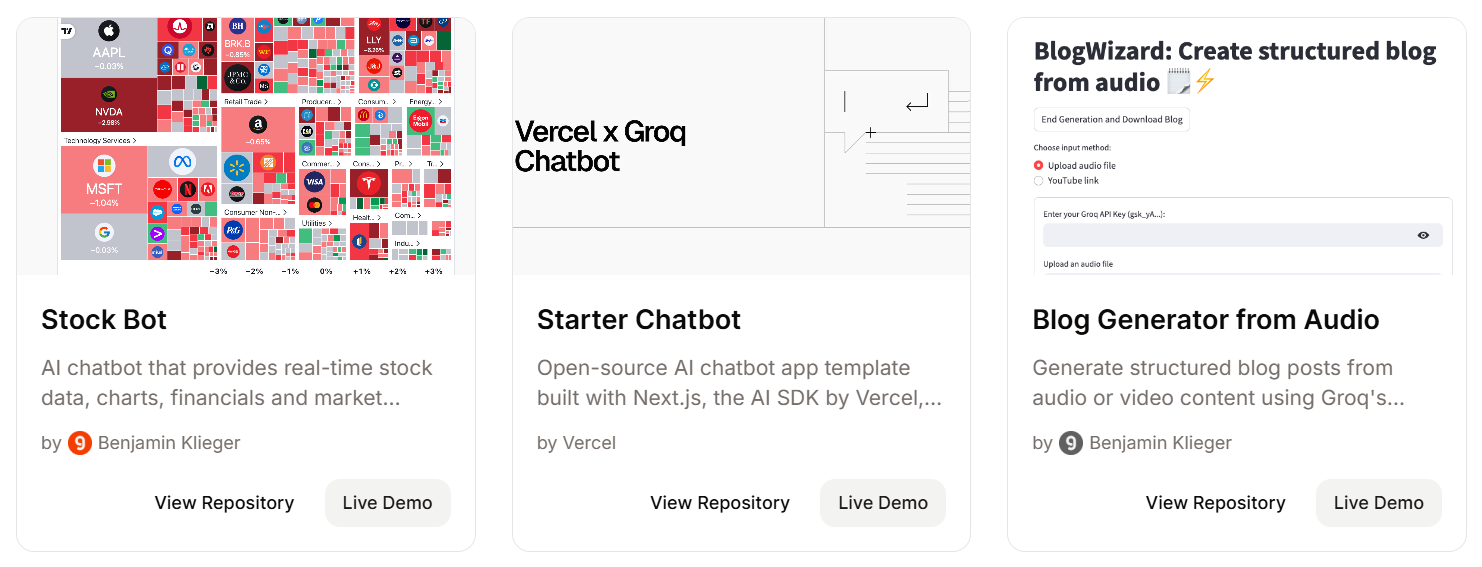
Groq provides hosted inference through an OpenAI-compatible API and its own SDKs. It is designed for teams that want fast generation on supported models without running inference infrastructure. Groq is well-suited to real-time chat, voice, agent, and streaming workloads where response time is the primary model-serving constraint. Teams that need GPT, Claude, Gemini, or broad cross-provider routing require an additional gateway alongside Groq.
Pros:
- OpenAI-compatible API
- Hosted inference for supported models
- Free sign-up available
- Prompt caching for supported GPT-OSS models
- Model-based pricing
Cons:
- Focused on models available through Groq
- No broad cross-provider abstraction for GPT, Claude, and Gemini
- Prompt caching is limited to supported models
- Rate limits vary by account and model
Pricing: Free tier with rate limits. Model-based price by input and output tokens.
Best unified LLM API providers compared (2026)
| Criterion | Braintrust Gateway | OpenRouter | Vercel AI Gateway | LiteLLM | Portkey | Together AI | Groq |
|---|---|---|---|---|---|---|---|
| OpenAI SDK compatibility | ✅ OpenAI-compatible, plus supported provider SDKs | ✅ OpenAI-compatible | ✅ AI SDK and OpenAI-compatible | ✅ OpenAI-compatible proxy | ✅ Universal API | ✅ OpenAI-compatible for hosted models | ✅ OpenAI-compatible for hosted models |
| Provider and model breadth | ✅ Major providers plus custom providers | ✅ Hundreds of models | ✅ Hundreds of models | ✅ 100+ providers | ✅ 1,600+ models | 🟡 Hosted open and custom model catalog | 🟡 Hosted open models only |
| Caching | ✅ Encrypted gateway cache with TTL and request headers | 🟡 Response caching in beta | 🟡 Provider caching controls | 🟡 Self-managed caching | ✅ Simple and semantic caching on paid plans | 🟡 Cached-token pricing on supported models | 🟡 Prompt caching on limited models |
| Cost visibility | ✅ Usage, cost, latency, and error dashboards from gateway logs | ✅ Usage accounting and activity exports | ✅ Usage, spend, and request logs | ✅ Spend tracking and budgets | ✅ Cost controls and observability | 🟡 Usage by hosted model | 🟡 Usage by hosted model |
| Observability | ✅ Traces, scores, datasets, experiments, and CI/CD checks | 🟡 Usage activity, no built-in eval workflow | 🟡 Request metrics and logs, no built-in eval workflow | 🟡 Logs through integrations | 🟡 Logs, traces, and guardrails | 🟡 Separate evaluation tools | ❌ No built-in eval workflow |
| Open and self-host | 🟡 On-prem or hosted deployment on Enterprise | ❌ No open source or self-hosted | ❌ Hosted service | ✅ Open-source and self-hosted | ✅ Open-source gateway and self-hosting options | ❌ Hosted service | ❌ Hosted service |
| Multi-provider or single-source | ✅ Multi-provider plus custom endpoints | ✅ Multi-provider | ✅ Multi-provider | ✅ Multi-provider | ✅ Multi-provider | ❌ Single-source inference provider | ❌ Single-source inference provider |
Route model calls and connect every production request to tracing, scoring, and release checks. Start free with Braintrust Gateway.
How to choose the best unified LLM API provider
Start with the requirement that will shape how the unified API runs in production.
Best overall for production AI: Braintrust Gateway is the strongest starting point when routed calls need to be converted into traceable, scorable production data. It keeps model access, caching, logs, scores, datasets, experiments, and CI/CD checks connected to the same request history, so teams can debug model failures and prevent regressions without moving logs into another tool.
Broad catalog access: OpenRouter is for teams that want quick access to a large model catalog via a single account and a single OpenAI-compatible endpoint. OpenRouter is most useful when fast model testing matters more than built-in evaluation.
Vercel or AI SDK usage: Vercel AI Gateway is a good fit for teams already building on Vercel or the AI SDK. Vercel provides those teams with multi-provider access, usage monitoring, and fallback controls within the Vercel workflow.
Self-hosted gateway control: LiteLLM is for teams that need an open-source proxy and have the infrastructure capacity to run it, and it works best when deployment control is more important than having tracing and evaluation built into the gateway product.
Governance for LLM traffic: Portkey fits platform teams that need routing, guardrails, prompt management, observability, and access controls in a single gateway. It is better suited to teams that need governance controls over model usage than to teams that only need a simple, unified endpoint.
Open-model inference: Together AI suits teams running open or custom models through hosted inference, fine-tuning, batch inference, or dedicated endpoints. It does not replace a cross-provider gateway for teams that also need GPT, Claude, Gemini, or other frontier APIs.
Low-latency hosted inference: Groq is a good option for latency-sensitive workloads that can run on supported Groq-hosted models. Teams that need broad cross-provider access will usually use Groq alongside a gateway rather than as the main unified API layer.
Why Braintrust Gateway leads unified LLM APIs
Braintrust Gateway leads because the unified API is tied to the systems that decide whether an AI change is safe to ship. Each routed call can be traced with inputs, outputs, latency, cost, cache behavior, scores, metadata, and feedback. Teams can use those records to create datasets from production examples, compare prompt or model changes in experiments, and enforce regression checks in CI/CD before a change reaches users. The API layer supports model access, debugging, evaluation, and release control from the same production request history.
Production teams at Notion, Stripe, Vercel, Zapier, Ramp, and Instacart use Braintrust to manage model quality at scale. Start free with Braintrust Gateway to route model calls through the same system your team uses to trace, evaluate, and improve production AI.
FAQs: best unified LLM API providers (2026)
What is the difference between a unified LLM API, a gateway, and a router?
A unified LLM API standardizes how your application calls different models. A gateway adds an operational layer around those calls, including authentication, caching, usage tracking, fallbacks, and logging. A router is the decision layer that chooses which model or provider should handle a request. In production, these categories often overlap, so the stronger question is whether the provider only forwards requests or also gives your team the records and controls needed to debug and improve them.
Is the OpenAI-compatible API the standard now?
The OpenAI-compatible API is the most common interface because many teams have already built around the OpenAI SDK and the chat completions format. Compatibility covers the common request shape, but provider-specific features such as extended reasoning controls, native tool formats, or structured-output fields often fall outside it, so a model reached through the same endpoint can still behave differently. Treat compatibility as the baseline to lower migration costs, then test how each provider handles the features your application actually depends on.
How do I switch providers without changing code?
Provider switching usually requires a stable endpoint pattern, centralized provider credentials, and model selection through configuration rather than hardcoded application logic. Teams should avoid scattering provider-specific keys, SDK calls, and model names across services, as this makes later model tests harder to control. A unified API works best when the application sends requests through a single access layer, and the team manages provider selection, credentials, and fallback behavior outside the core application code.
Does a unified LLM API add latency?
A unified LLM API adds an extra routing step, but the user-visible impact depends on the gateway design, provider location, streaming behavior, caching, and retry rules. The bigger latency risk often comes from provider retries, long context windows, slow models, or repeated uncached calls during testing. Teams should measure end-to-end latency by route and model, then separate gateway overhead from model inference time before deciding whether the unified layer is the bottleneck.
Which is the best unified LLM API provider?
Braintrust Gateway is the best unified LLM API provider for production AI teams. It is the strongest choice when a unified endpoint must support model access, quality review, and release decisions within the same workflow. Teams focused solely on browsing the largest model catalog or serving open models at low latency may choose a narrower provider, but teams shipping AI features to users need a gateway that helps them assess whether routed responses are reliable enough for production.